
Unlocking and Transferring Your Domain
How to Unlock and Transfer your domain to a different domain registrar
If you are looking to transfer your domain away from Goimagine Domains to another domain registrar (such as, GoDaddy, Namecheap, SquareSpace, etc.) you need to UNLOCK the domain and then use the SECRET AUTH CODE to transfer it to the new registrar.
To unlock your domain and get the secret auth code follow the below instructions.
STEP ONE: Log into https://goimagine.myorderbox.com/servlet/CustomerIndexServlet to access your domain portal. (Note: This is different than logging into goimagine. So, your email address and password may be different depending on what you used to originally purchase a domain).
STEP TWO: In the top right corner choose "My Account"

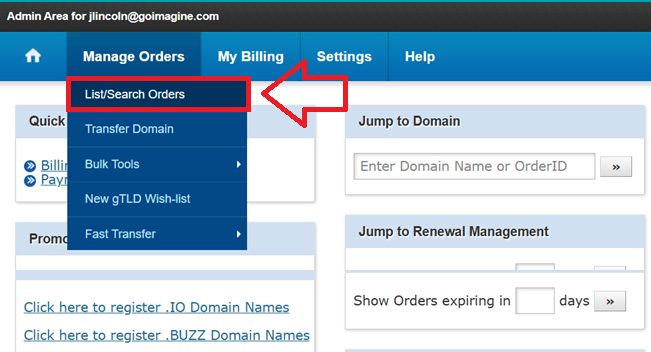
STEP 3: Hover over "Manage Orders" and click "List/Search Orders"
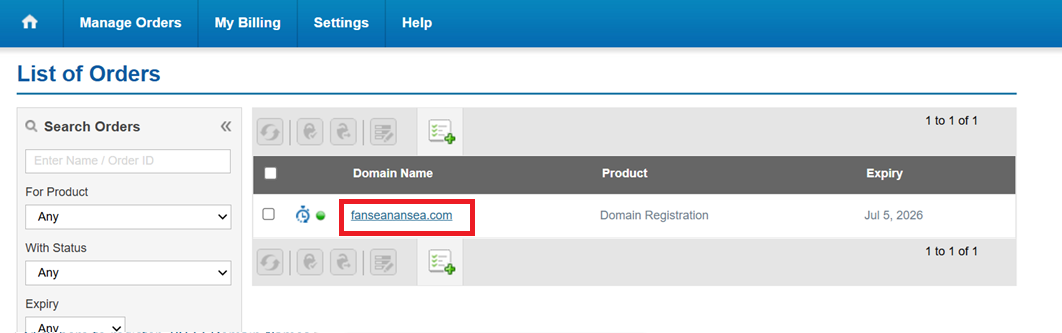
STEP 4: Select the domain you want to unlock/transfer
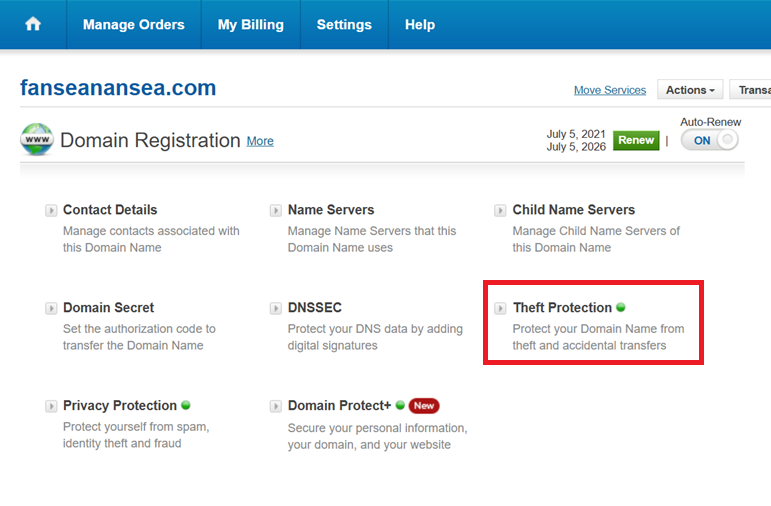
STEP 5: Select "Theft Protection"
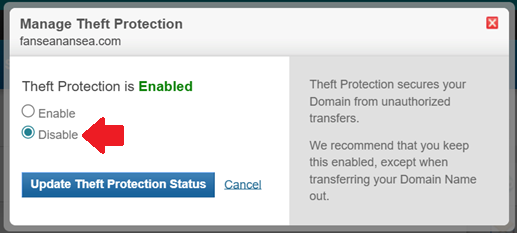
STEP 6: Select to DISABLE Theft Protection
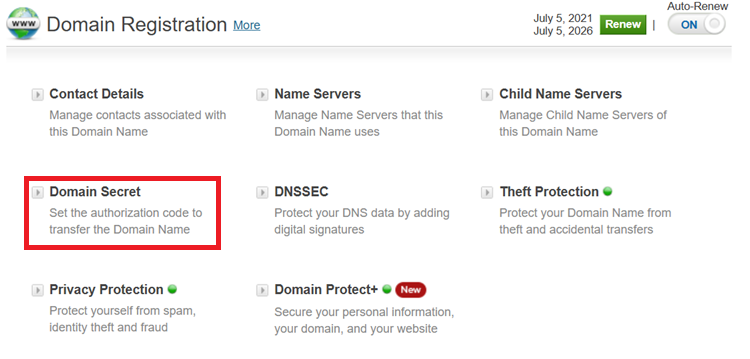
STEP 7: Choose "Domain Secret"
STEP 8: Copy the DOMAIN SECRET (AUTH CODE). Your new domain registrar will ask for this when transferring the domain to them.
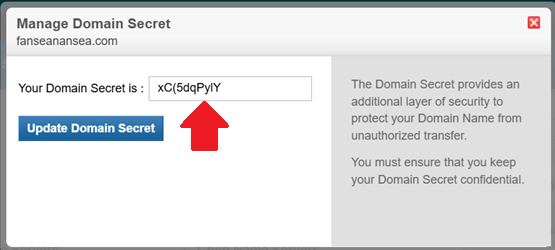
That's it! You can now use the SECRET AUTH CODE to transfer your domain to any other domain registrar.